


4G Security Cameras


How to choose a 4G security camera
Power decides the model
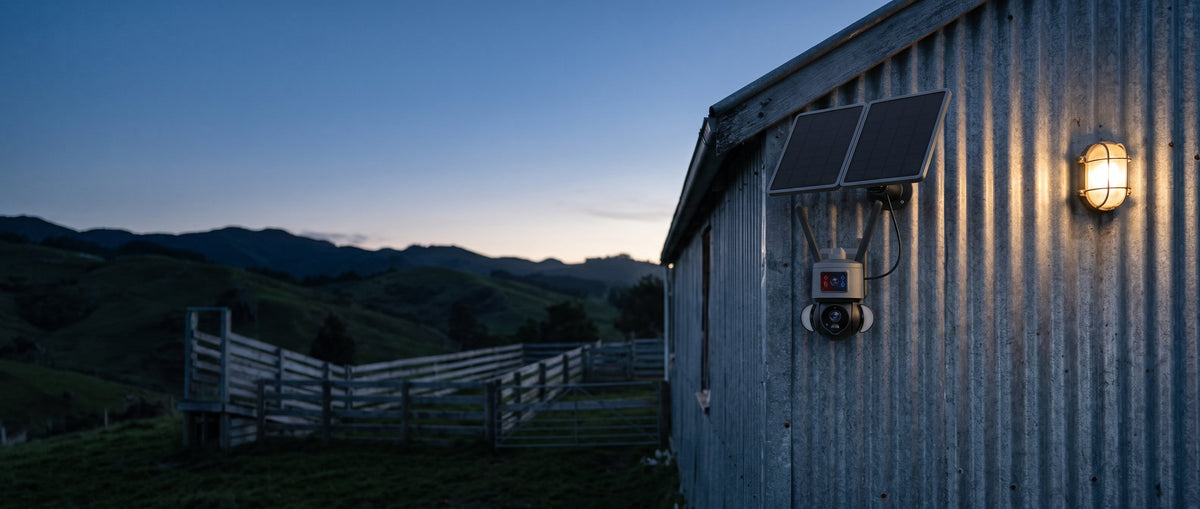
If there is a socket nearby, a mains powered unit is cheaper and simpler. If there is not, a solar camera runs on its own panel and battery, and roughly half the range here pairs the two. Coverage decides the second half: a fixed lens watches one approach, while a pan tilt zoom model sweeps a whole yard from one mounting point and can follow movement as it crosses the frame.
Signal at the site, not at the house
Coverage maps describe towns. They do not describe the far corner of a block behind a hill. Before committing a camera to a location, stand there with a phone on the same network and check what the signal actually does, because a camera with one bar will connect, retry, and empty its battery doing it. Where signal is marginal an external aerial does more than a better camera. Match the SIM plan to the job as well: motion clips use very little data, hours of live streaming use a great deal. For several cameras on one site, a solar 4G router runs WiFi cameras on a single SIM instead of one plan each.
Compare the types
 Solar PTZ |  Mains PTZ |  Mini battery camera |  Dual lens 24/7 | |
|---|---|---|---|---|
| Power | Panel and battery, nothing to wire | 240V socket at the site | Internal battery, months of standby | Panel and battery |
| Covers | A whole yard, follows movement, zooms in | A whole yard, the longest zoom and night range | One approach | Wide view and a zoom lens in one housing |
| Records | Motion clips to a card and the app | 24/7 or motion to a card | Motion clips to a card | 24/7 while the battery allows, PIR clips otherwise |
| Suits | A gate, paddock or site with no power | A shed or driveway with power | A holiday home, a boat, a small space | Somewhere that needs the full picture around the clock |
| See | Solar 4G cameras | Mains 4G cameras | Mini 4G cameras | 24/7 recording cameras |
Buying guides
 4G Security Camera Buying Guide AustraliaSolar, PTZ and zoom compared
 Solar Security Camera Buying Guide AustraliaWhat runs through winter and the wet
 Security Camera System Buying Guide AustraliaWhat powers the hub decides everything
Related
WiFi Security Cameras 4G Routers & WiFi Extenders Security Systems Wireless Security Systems Trail Cameras 4G Trail Cameras Security Cameras & Surveillance Equipment
Common questions
Which SIM works?
Standard Australian SIMs on Telstra, Optus or Vodafone, unless a listing says otherwise. Check whether the camera lets you cap or schedule uploads, which is what keeps a month of data inside a prepaid plan.
Do I need WiFi as well?
No. The camera uses the mobile network for everything, including alerts and live view. Footage goes to a card in the camera and to whatever the app stores, so size the card as the archive.
How much data will it use?
Alerts alone use little data, often under 1GB a month. A camera recording on motion that you check now and then typically uses one to three gigabytes a month. Streaming continuously uses considerably more, so match the plan on the SIM to how you intend to use it.
Will an older 3G camera still work?
No. Australia no longer has a 3G network, so a 3G camera or tracker cannot be reconnected. Everything here that uses a mobile network is 4G.
Do I need a sign for security cameras in Australia? Australian law
Cameras that protect your own home, vehicle and family are lawful, and no sign is needed at home, although one is a good deterrent. A business should put up a clear sign that cameras are in use, and workplace surveillance rules in some states and territories require written notice to staff. Surveillance devices laws differ by state and territory: point cameras at your own property, never into a neighbour's home, a bathroom or a bedroom, and leave audio off, because recording private conversations you are not part of is generally not allowed.